The authoritative source for official business counts by zip code is the Census Bureau’s ZIP Codes Business Patterns (ZBP), part of the broader County Business Patterns (CBP) program. It reports establishment counts, employment, and payroll for 5-digit ZIP codes, and you can pull it through the Census API or as a CSV download from data.census.gov.
TL;DR:
- Census ZBP reports payroll-counted establishments in ZIP codes, excluding sole proprietors and non-employer businesses, which can cause discrepancies with local directories.
- Small-area data release uses differential privacy, making counts under a few dozen establishments potentially unreliable or noisy for precise analysis.
- Building defensible ZIP-level counts requires consistent API queries, cross-checking against county totals, and aggregating neighboring ZIPs if data appears suppressed or inconsistent.
- Raw ZBP data is suitable for quick checks, but audit-proof reports on industry and location require commercial services like Bizminer for detailed, defendable insights.
- Data accuracy depends on ZIP boundaries versus ZIP Code Tabulation Areas, which may shift over time, affecting longitudinal or boundary-sensitive analyses.
Table of Contents
- Where to find official ZIP-level business counts
- What ZBP actually measures at the zip level
- How to pull the numbers yourself
- Why your zip counts might not match expectations
- A workflow for defensible zip-level counts
- What years of pulling this data have taught me
- When Bizminer fills the gap Census leaves open
- Sources
- FAQ
Where to find official ZIP-level business counts
Two Census programs cover this ground, and picking the right one saves you a lot of wasted queries. ZBP is built for ZIP-level questions. CBP covers counties, metro areas, and the nation, and it publishes faster and with more industry detail because it isn’t wrestling with the same small-area privacy constraints.
Start here:
- Use ZIP Codes Business Patterns when your unit of analysis is a 5-digit ZIP code.
- Use County Business Patterns Data when you need county, state, or national totals, or faster-updating industry breakdowns.
- Download raw files from the 2023 CBP datasets page, which separates a Zip Code Totals File from a ZIP Code Industry Detail File.
As of September 27, 2026, the latest published reference year for CBP and ZBP is 2023, and Census has not set a firm release date for the next year while it continues evaluating its disclosure-avoidance methods. ZBP has existed as an annual series since 1994 and, since 2022, releases alongside CBP rather than on its own separate schedule.
What ZBP actually measures at the zip level
ZBP is narrower than most people expect. It only counts establishments that carry payroll, and it applies a specific set of rules about geography and industry detail that shape how you should read the numbers.
- ESTAB is the count of establishments with paid employees in a ZIP code during the reference year.
- EMP is employment during the pay period that includes March 12.
- PAYQTR1 is first-quarter payroll, and PAYANN is total annual payroll.
- Employment size classes (how many establishments fall into each employee bracket) are only published at finer industry detail, not for every NAICS level.
- NAICS2017 code 00 returns the all-industries total for a ZIP, which is usually the starting point for a general business count.
One distinction trips up a lot of researchers: ZBP uses actual USPS ZIP codes, not ZCTAs (ZIP Code Tabulation Areas, a Census construct used for population data). The two overlap but aren’t identical, and USPS ZIP boundaries shift over time as delivery routes change, so a ZIP that existed in one reference year may behave differently or vanish in another.
How to pull the numbers yourself
Getting a defensible ZIP-level count means running a repeatable query, not eyeballing a table. Here’s the sequence that produces something you can hand to a colleague or defend in a report.
- Build an API call using the CBP API pattern:
https://api.census.gov/data/2023/cbp?get=NAME,NAICS2017_LABEL,ESTAB,PAYANN,PAYQTR1,EMP&for=zip%20code:90210&NAICS2017=00, swapping in your target ZIP. - Register for a Census API key if you’re running more than a handful of queries, since the Bureau throttles unauthenticated requests.
- On data.census.gov, open the Geographies filter, choose All geographies, then select 5-Digit Zip Code, never ZCTA, per the 2022 CBP user guide.
- Apply your NAICS filter (00 for a total count, or a specific code for an industry cut) and export the result as CSV.
- Save the exact API URL or the CSV filename alongside your query parameters so the pull can be reproduced later.
Establishment counts in ZBP cover payroll businesses only, according to the Census overview of County Business Patterns, which means sole proprietors and other non-employer businesses never show up in these totals. That single fact explains a large share of the gap between what ZBP reports and what a Chamber of Commerce list or a local permit database might show for the same ZIP.
Why your zip counts might not match expectations
Recent CBP and ZBP releases use differential privacy, a disclosure-avoidance method that injects statistical noise before publishing small-area data. The Census disclosure-avoidance materials explain that this can produce unexpected zeros, suppressed cells, or rounded figures, particularly in ZIPs with few establishments in a given industry.
The Bureau’s demonstration tables lay out the uncertainty this introduces, and they’re worth a look before you build anything that depends on precise small-area splits. If a single ZIP’s industry-level count looks off, check whether the county or metro total tells a cleaner story instead.
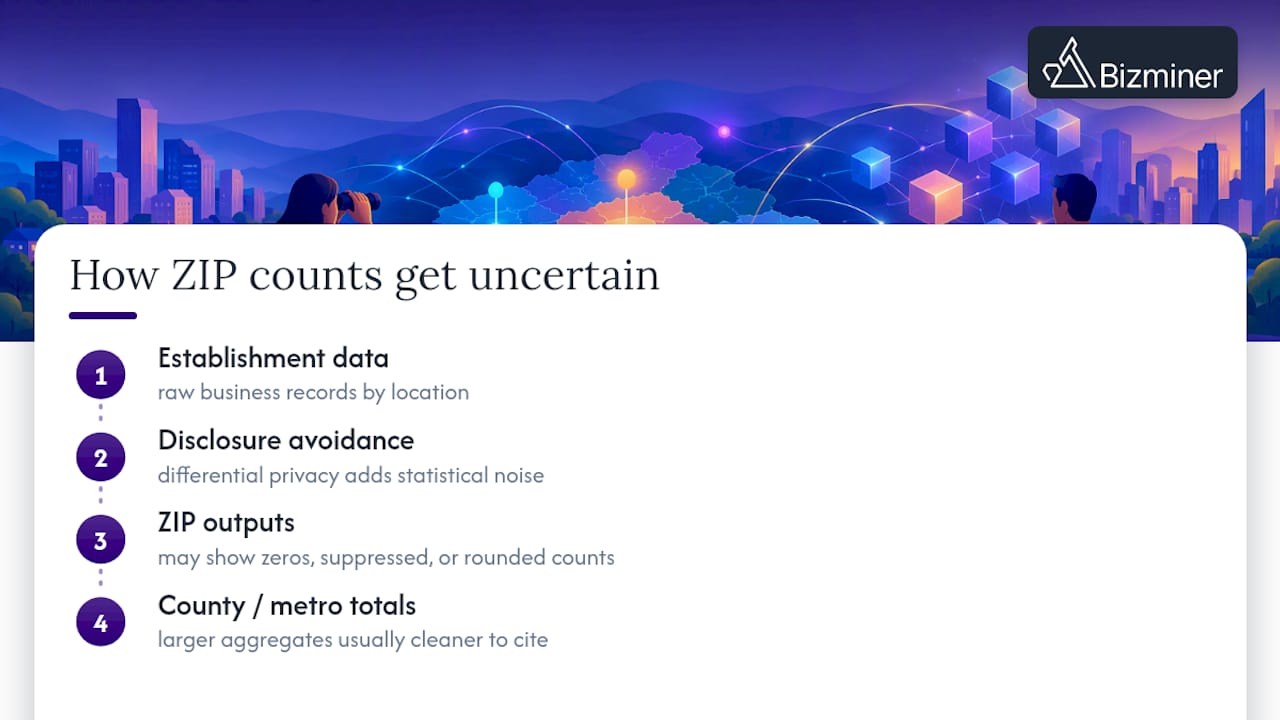
Pro Tip: Treat any ZIP-level count under a few dozen establishments as directional rather than exact, and cross-check it against the county total before citing it.
A workflow for defensible zip-level counts
Producing a number you can stand behind takes more than one query. This is the sequence worth following every time.
- Define your scope: pick the reference year, the ZIP or ZIPs, and the NAICS code (00 for totals, specific codes for industry cuts).
- Run the API call or download the CSV from data.census.gov, using the 5-digit ZIP Code geography filter.
- Save the raw file and the exact query URL so the result can be recreated later.
- Validate the ZIP total against the county-level CBP figure it rolls up into, and check whether employment sums line up across size classes.
- Aggregate neighboring ZIPs or flag the result as noisy if the establishment count is small, then decide whether commercial data fills the gap.
Crosswalking to county totals catches most obvious errors fast. If your ZIP-level industry detail looks inconsistent with the county number for the same NAICS code, that’s usually a sign of suppression rather than a real business trend, so consider consulting a local business directory for additional insight. When you need non-payroll establishments, faster refresh cycles than an annual federal release, or address-level listings for outreach, that’s the point where raw ZBP data stops being enough and a commercial provider becomes worth the cost.
What years of pulling this data have taught me
Census ZBP is the backbone for local market sizing, site selection, credit analysis, and industry benchmarking, and it’s free. Raw ZBP is often enough for a quick sanity check or a single-ZIP lookup. Where professionals run into trouble is stitching together many ZIPs, defending a number in front of a client or a court, or needing a business count segmented by size class in an industry Census suppresses at that geography, which is where a service built for exactly that gap, like Bizminer, tends to take over.
— Danny
When Bizminer fills the gap Census leaves open
Census data is free and authoritative, but it wasn’t built for a deliverable you can hand to a client on a deadline. Bizminer provides granular business and industry data by geography, offering reports designed for audit defensibility, including documentation of sample sizes and sources.
- Industry Financial Performance, Company Profile, and Market Report deliverables cover geographic areas that can be customized rather than limited to a single federal geography.
- Tier 1, Tier 2, and Tier 3 Prospect Lists provide contact-level outreach targets based on business counts.
- A Customizable API feed lets you pull curated market data programmatically instead of managing raw CBP files.
Raw Census data is the right call when you need a free, single-ZIP establishment count for a quick check. When you need audit-ready benchmarks, prospect lists, or a report built around your exact geography and industry, check Bizminer’s pricing or request a sample export.
Sources
FAQ
Can you get census data by zip code?
Yes, through ZIP Codes Business Patterns, which reports establishment counts, employment, and payroll for 5-digit ZIP codes. Access it through the Census API or as a CSV export from data.census.gov, using the 5-Digit Zip Code geography filter rather than ZCTA.
What employee count is considered a small business?
Definitions vary by industry and by agency, and Census ZBP itself doesn’t apply a single small-business threshold, it publishes establishment counts by employment size class where industry detail allows. For a specific federal size standard, check the relevant agency’s own published criteria for that industry rather than relying on a single number.
How can I get a list of businesses in my area?
Census ZBP gives you counts and aggregate figures by ZIP and industry, not names or addresses of individual businesses. For an actual list of businesses, including contact details, a commercial provider such as Bizminer’s prospect lists or a local business directory is the more direct route.
Which zip code has the highest income?
This article’s sources cover business counts, establishments, employment, and payroll by ZIP, not household or personal income rankings. For income data by ZIP, the Census Bureau’s American Community Survey is the relevant program to consult separately.